This is the standard servicing procedure for daily operations. It is important you are following this practice in the order shown to streamline all transactions in line with the CoinOp app.
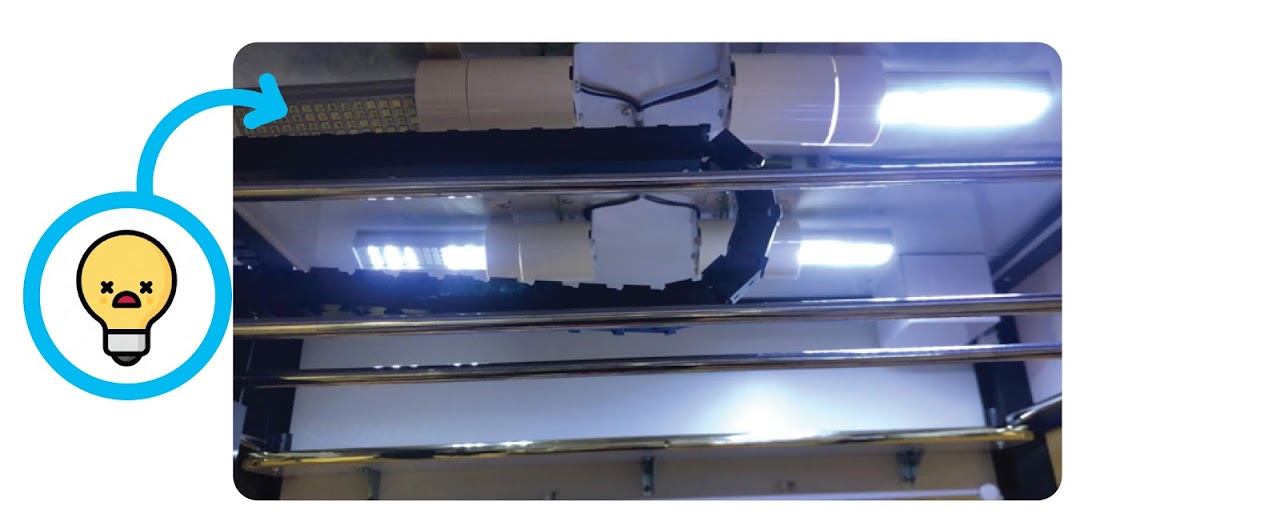
1. Check lights are on and no bulbs are out, replace dead bulbs or write in comments for next visit if none available, if all bulbs are dead contact management first.
2. Check credit display for error messages, anything other than “0” is a fault.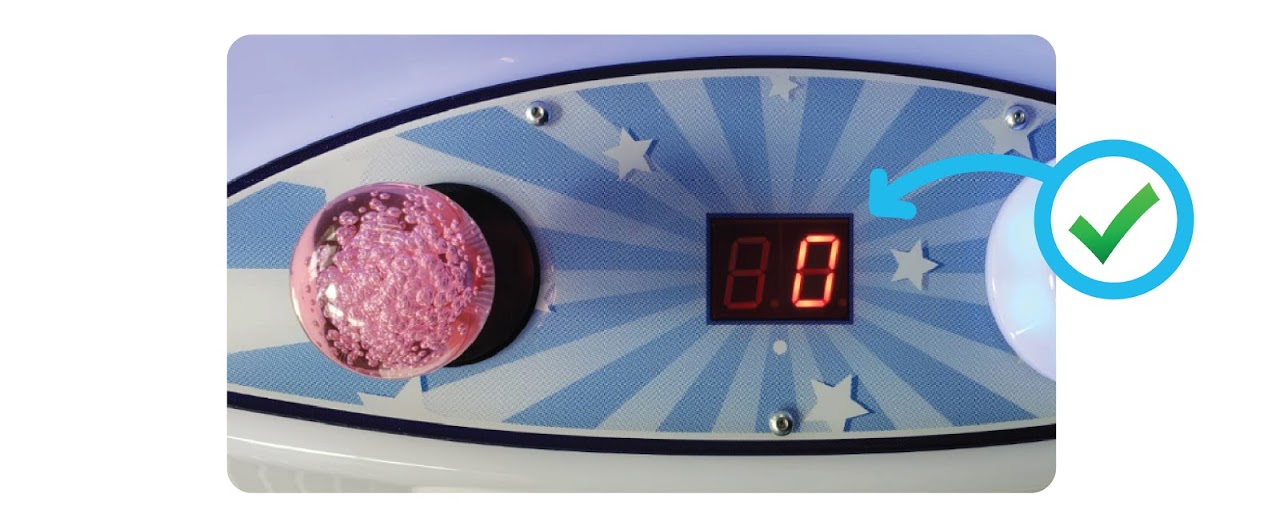
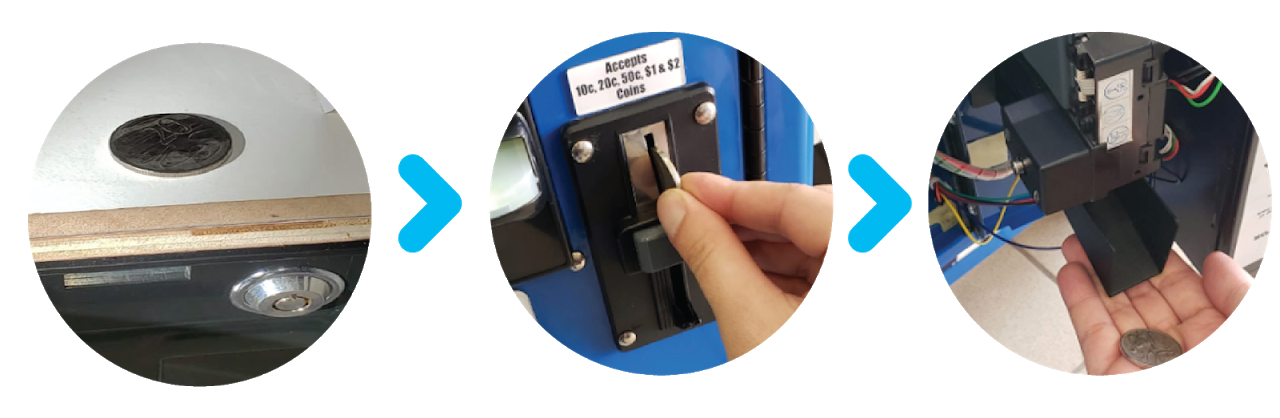
3. Check coin mech – Use 20 cents coin to successfully pass through the inside, if not accepting or it’s returning the coin, find out why? (blockage/loose connection/broken). 20c to be placed back on top of wooden chute. Clean with cloth inside coin mec flap. Always turn machine off and back on after work on coin mech.
4. Check Note Reader – From inside lift up flap and check for any blockages, clean with cloth if has dust/mess. Check from outside if any blockages are inside front bevel. Make sure reader is changing colour if not find out why? (paper jam, coin stuck in reader, test with $5 note if required and mark as $5 test in app transaction and write in comments why) Always turn machine off and back on after work on note reader.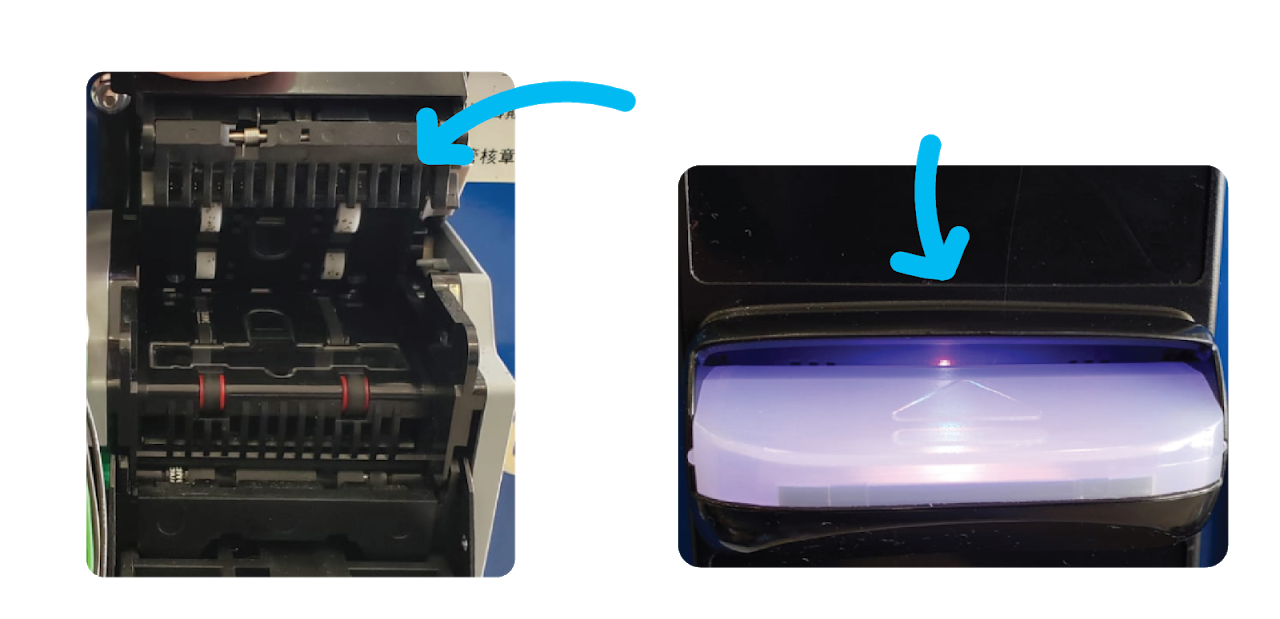
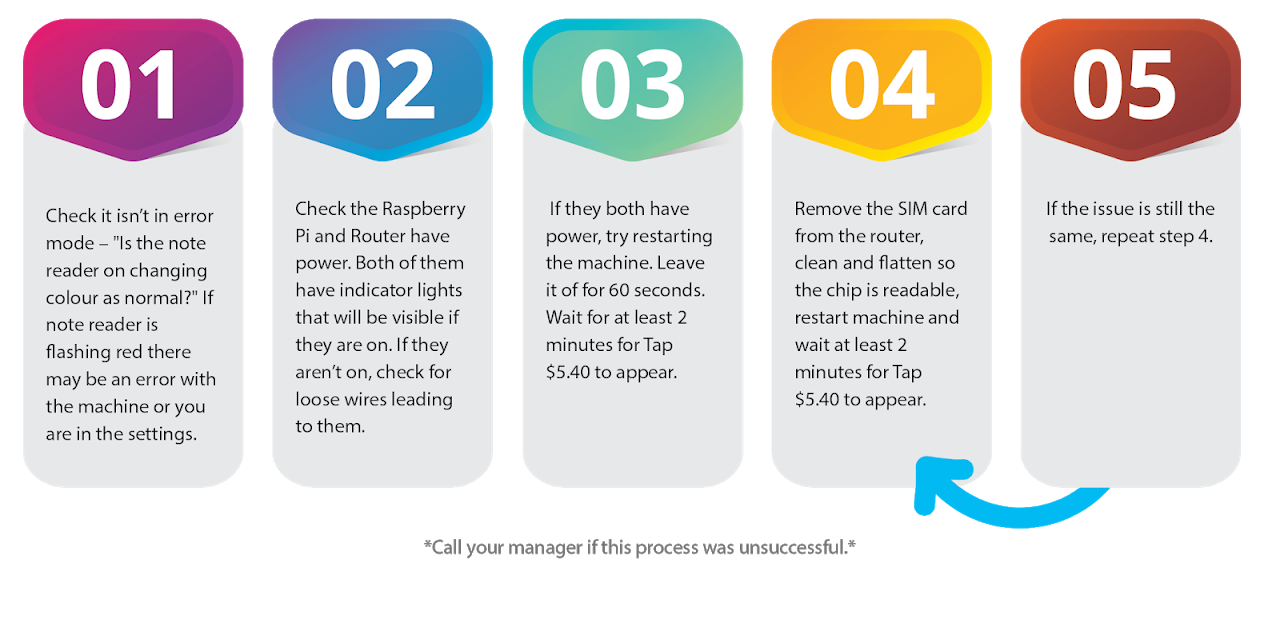
5. Check Tap & Go – look at Tap & Go display for “Tap Card”, if it says anything other than this then let your manager/tech support know, restart machine, after a few minutes if it still doesn’t say “Tap Card” then follow this procedure. If it’s showing “Please Wait” use this guide.
6. Record meter readings and stock added/removed or stock takes in app, select correct theme and transaction type.
7. If coin 1 (coins) or coin 2 (notes) have not increased since last visit, please test with a $2 ($1×2) coin or $5 ($10 or $20 if all that is available) note and update test goes on transaction and leave a comment advising why test was made. Ensure to update app with latest meter figures after testing.
8. Take transaction picture of meter readings on each service and collection visit.
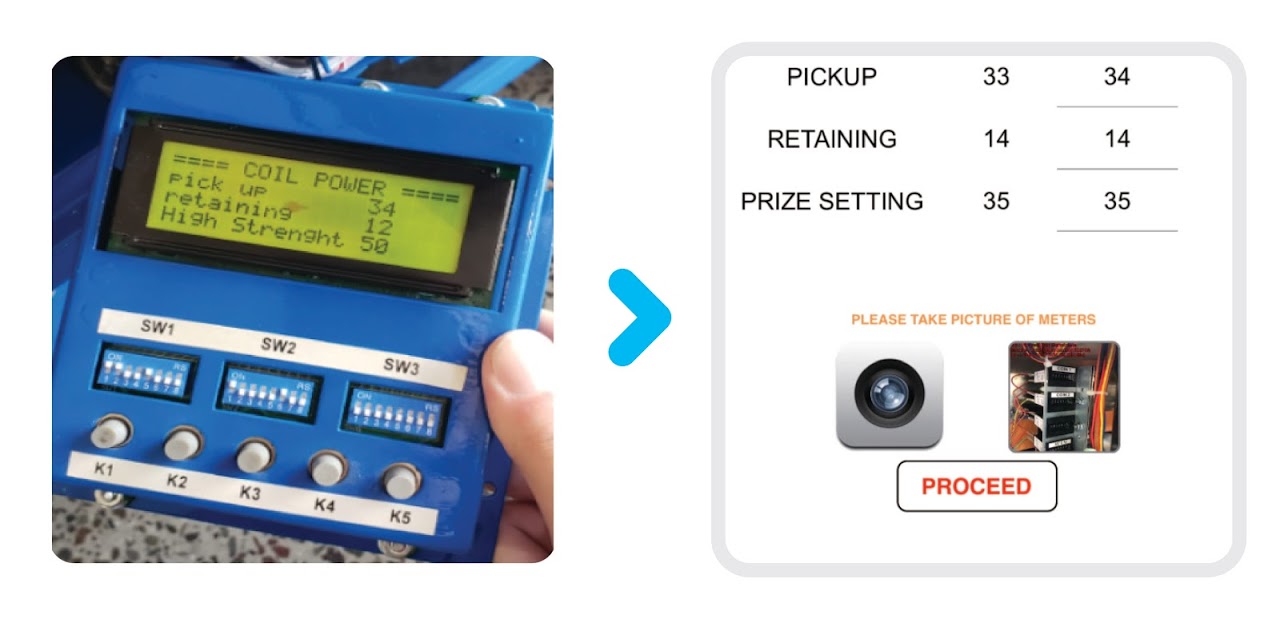
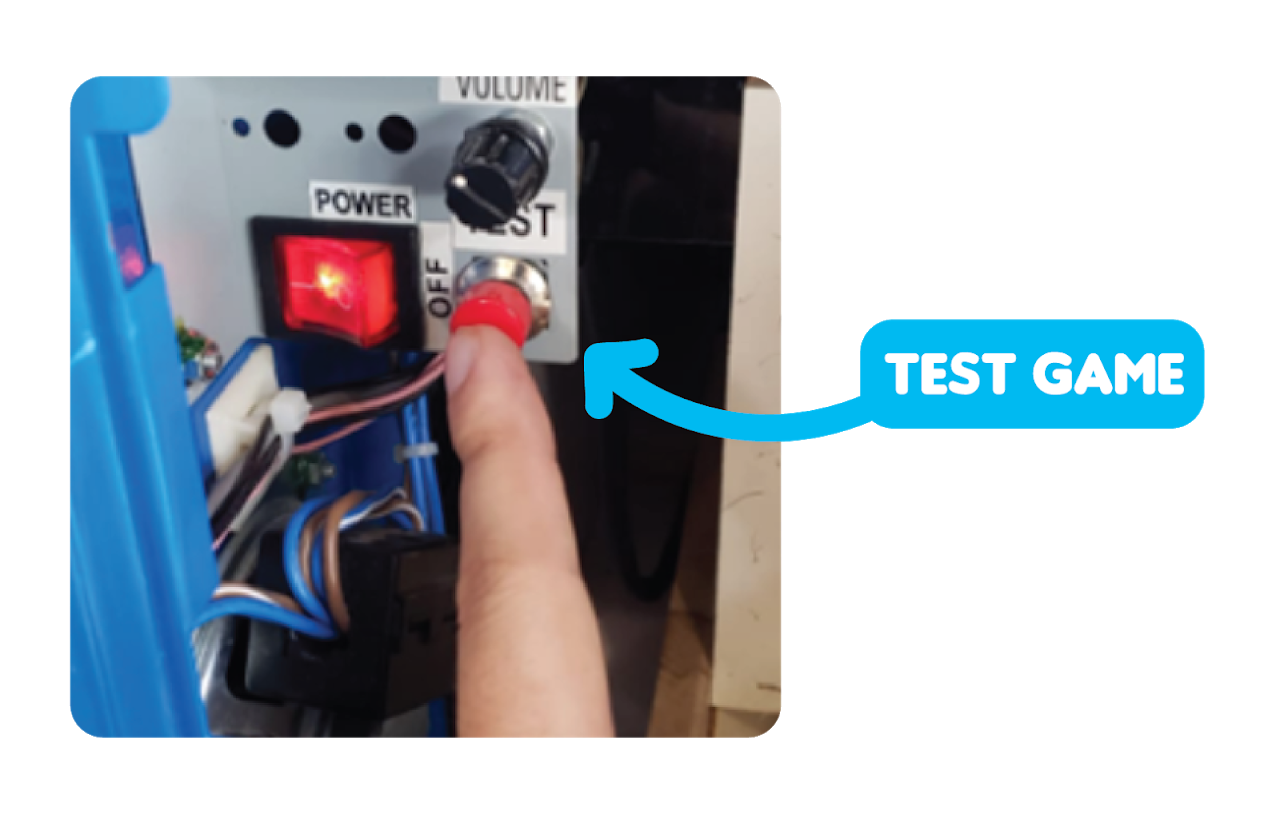
9. Ensure Pick Up, Retaining, High Strength and Prize Settings are correct and are the same on the LCM and app. For non LCM machines play a test game and see where the voltmeter moves to, this will show what the settings are set to.
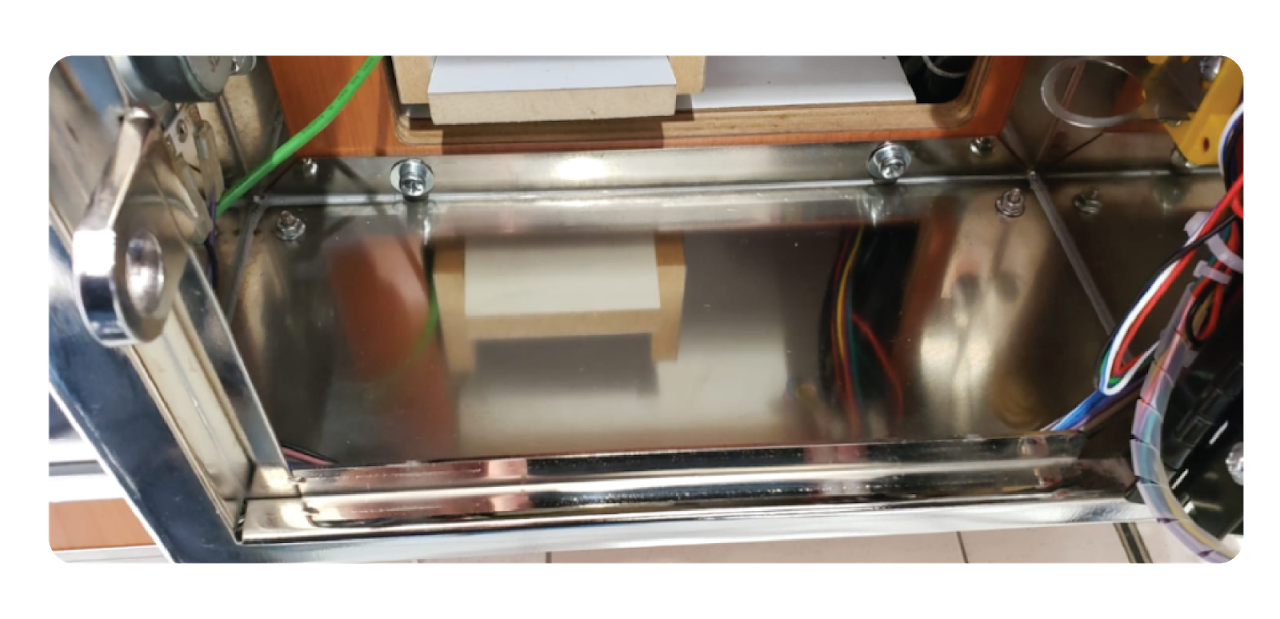
10. Clean any dust/dirt/spillages inside console area, take any rubbish out and bin it.
11. Move half the stock into prize chute.
 12. Clean inside glass and prize chute area, ball marks must be cleaned every visit, clean claw and claw cap, full inside clean when machine is empty from a change over.
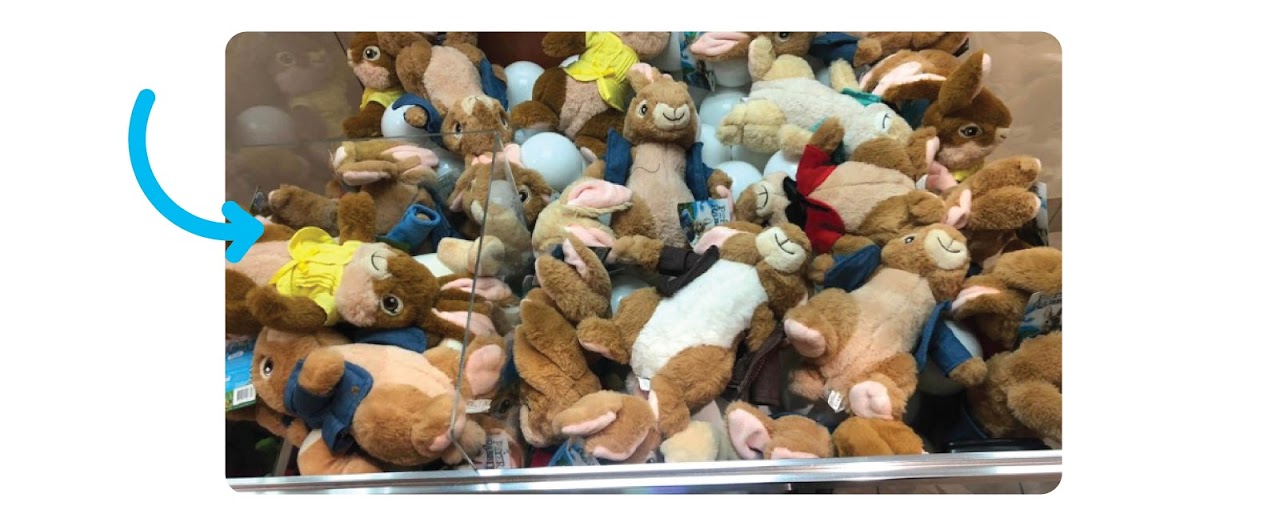
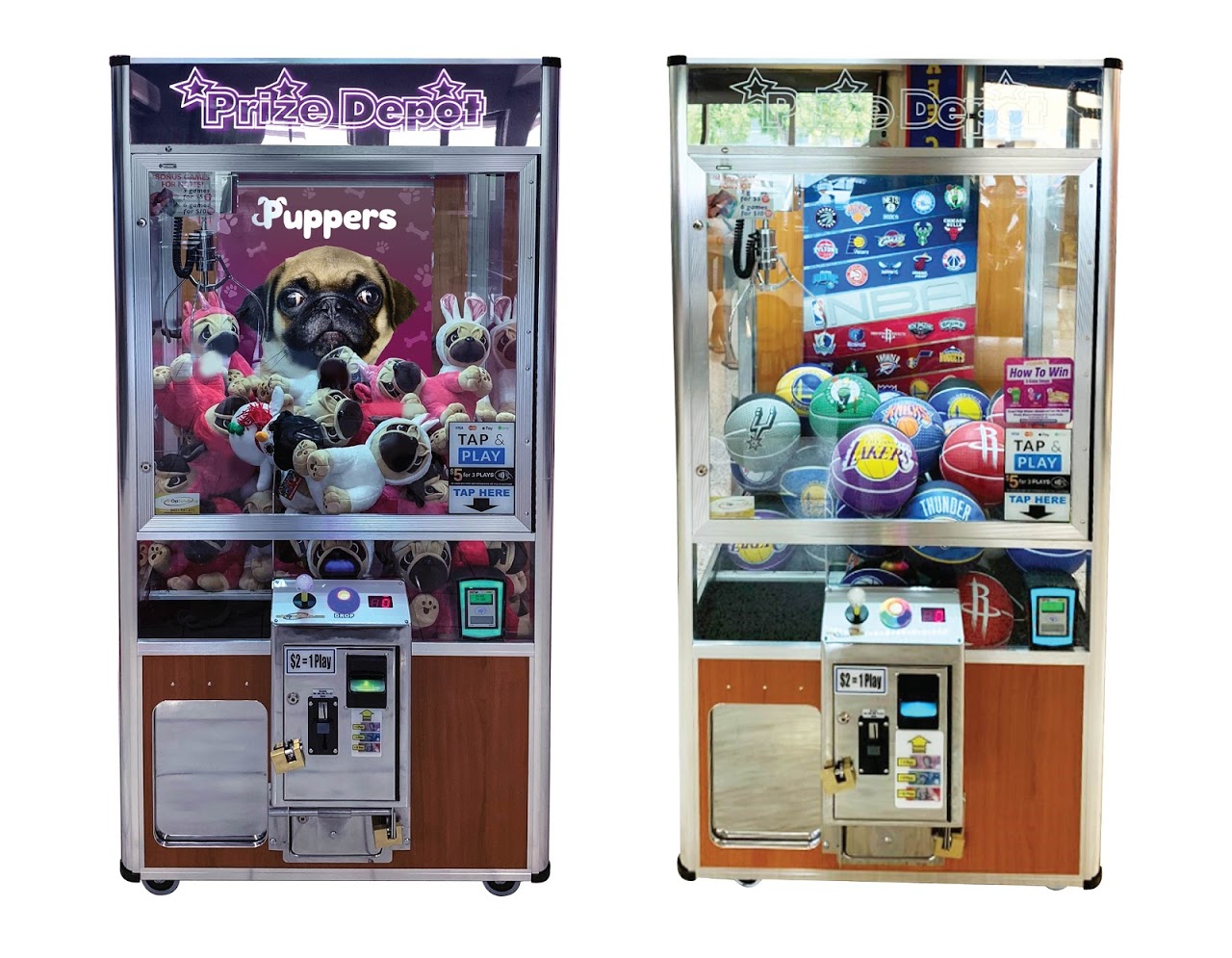
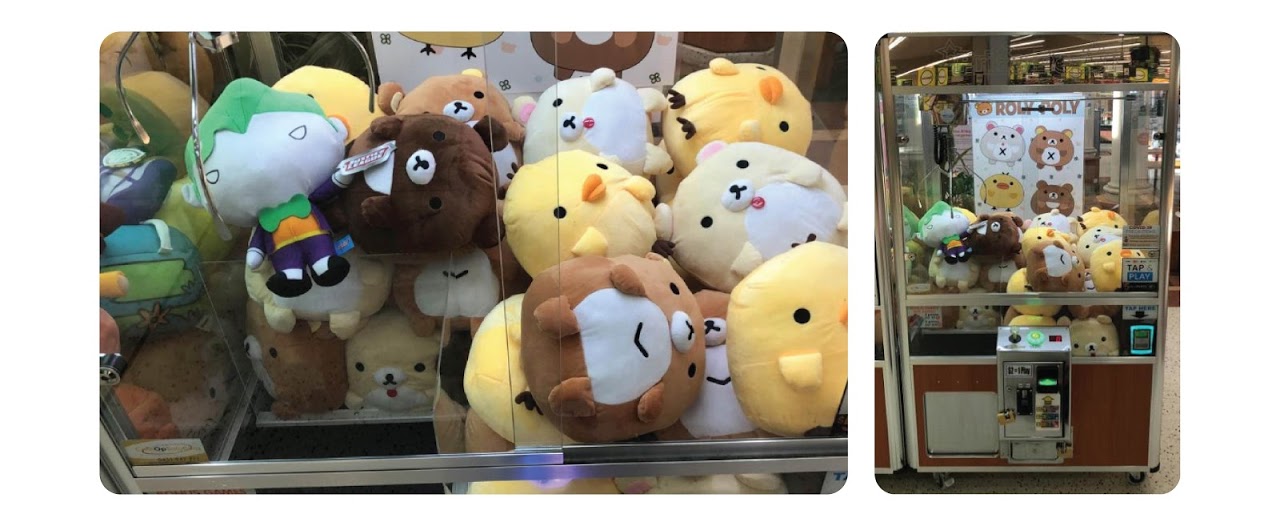
13. Re-merchandise stock from bottom to top, Plush criss cross, criss cross, eyes facing forward, Balls straight and team logos all facing forward, mix teams, characters, colours and ensure around windows is different characters/teams. Try and match stock with poster. Poster should be straight to the top and in the middle. Try and match stock with poster. For example, if Simba is on the poster, ensure he is on the top. Poster should be straight to the top and in the middle.
14. Test game Claw and Gantry, Forward, Back, Left, Right, Drops, Claw Closes, Picks Up Toy & Dislodges Near Top.
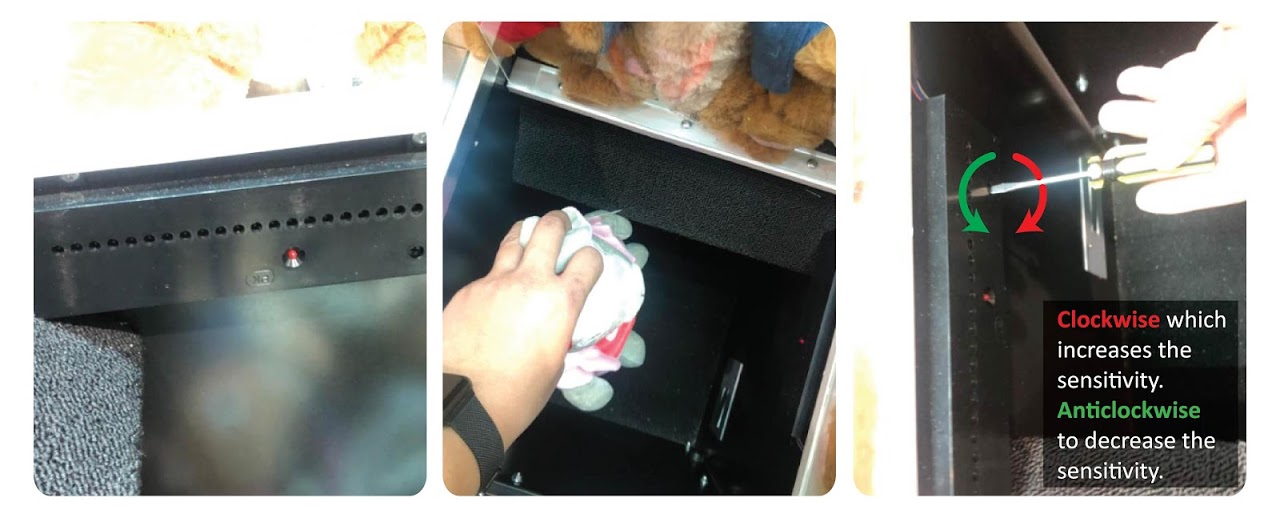
15. Test win sensor ensuring red light comes on when toy is furthest away, adjust with screwdriver if necessary. clockwise which increases the sensitivity. Anticlockwise to decrease the sensitivity.
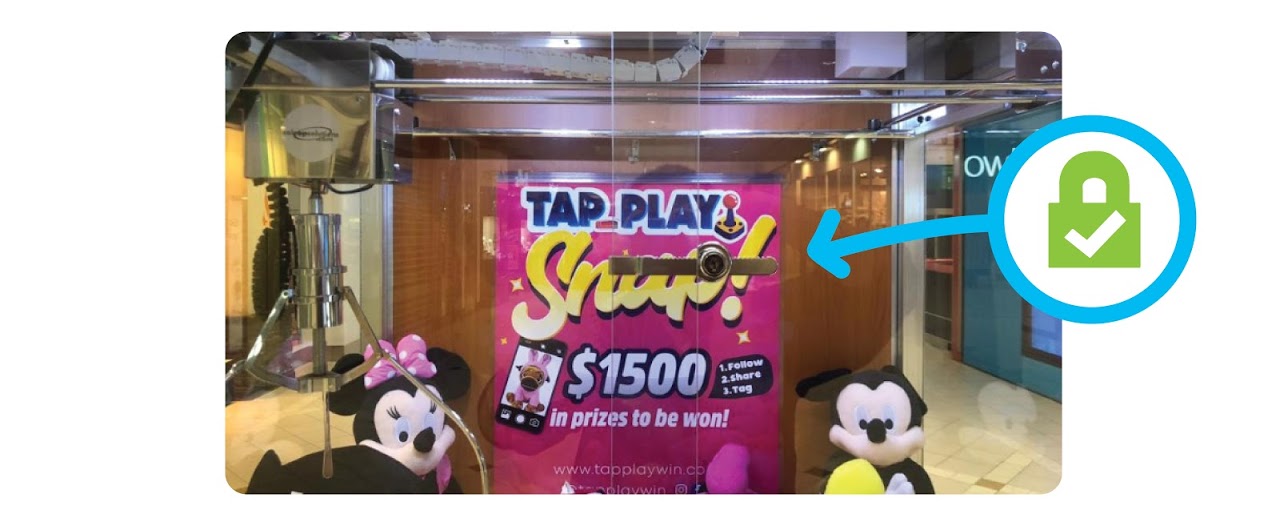
16. Lock glass door including sliding window locks. Ensure locks are tight and secure.
17. Leave comments stating any minor details/faults/repairs/anything required for you to remind yourself for the next visit.
18. Clean machine outside (take 2 clean cloths every day) – Glass, headers, console, prize door, vacuum when necessary.
19. Lock machine including padlocks.
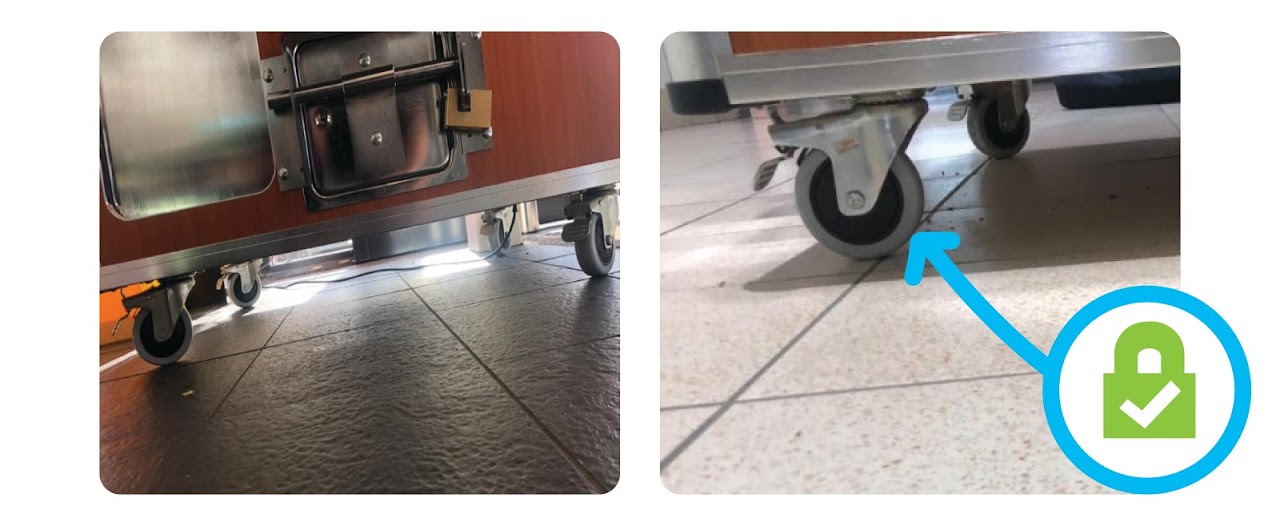
20. Make sure all wheels are locked on the machine and machine is secured and straight.
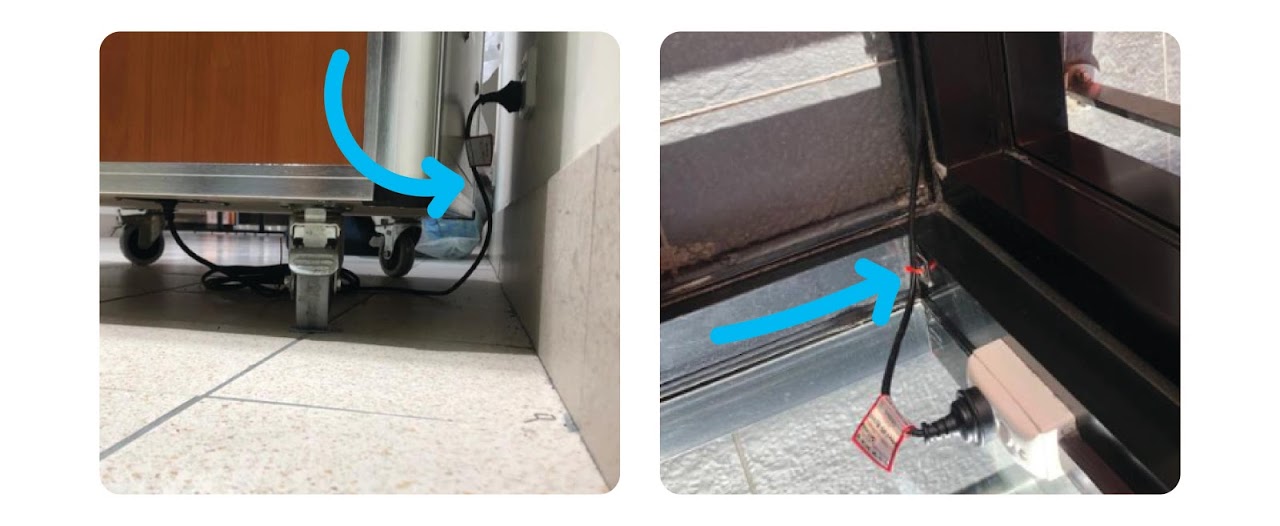
21. Ensure electric cord is not visible or is neatly running against the wall, can’t be any trip hazards.
22. Take close up picture of stock in machine and standing back so the bottom of the machine and a gap above the machine can be seen
23. Save Transaction, wait until you get transaction saved successfully pop up.
24. Double check machine is secured including wheels locked.
25. Make sure you have all keys, tools, parts, posters and stock before leaving the machine.
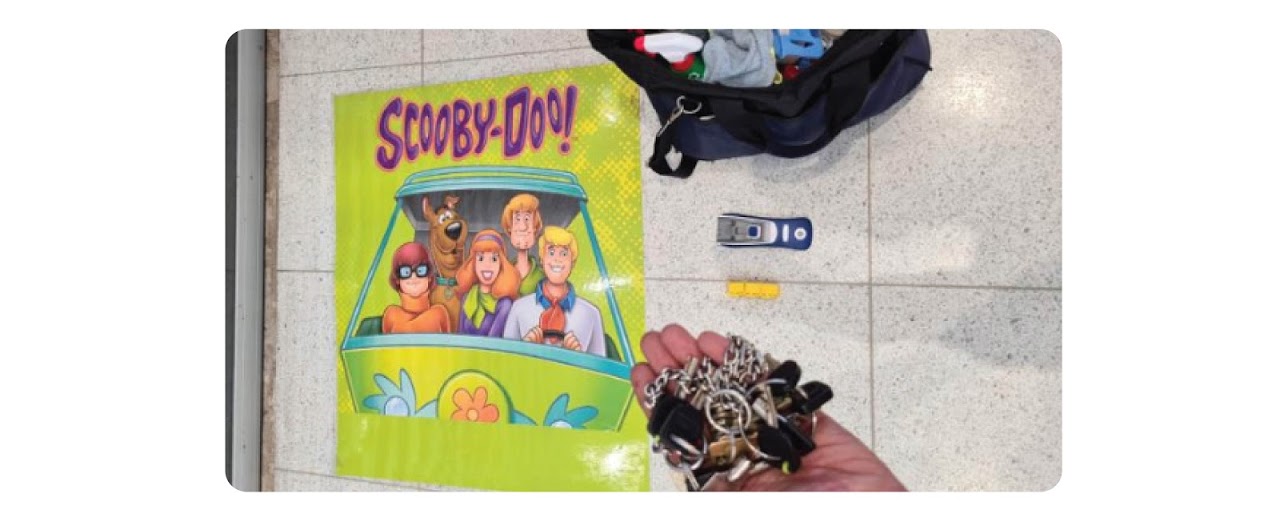 26. STAND BACK and look at machine for at least 20 seconds from different angles to ensure you haven’t forgotten anything.